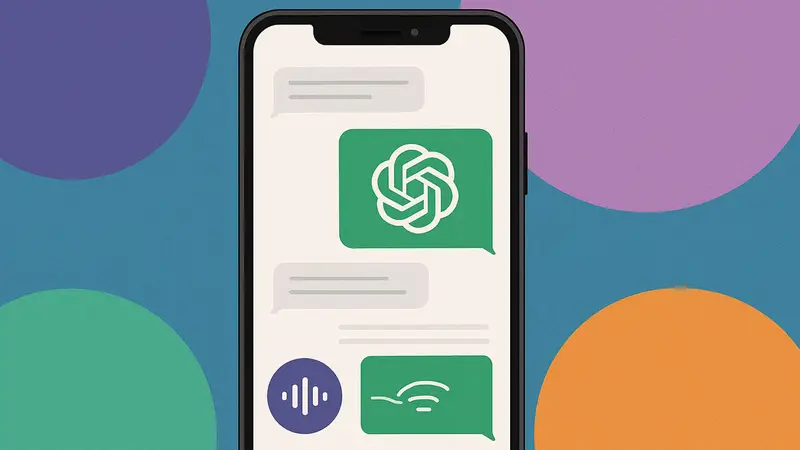


OpenAI has made its ChatGPT voice feature more seamless by integrating it directly into the main chat interface, removing the need to switch screens to hold a voice conversation.
TLDR:
- ChatGPT Voice now works directly in ongoing chats, no longer requiring a separate screen.
- Live transcripts and visuals appear in real time as you speak and listen.
- Users can switch back to the old voice interface through the Settings menu.
- The update is now the default experience across web and mobile platforms.
What Happened?
OpenAI has rolled out a significant user interface upgrade to ChatGPT, making voice conversations more fluid and visually rich. Instead of moving to a dedicated voice-only screen, users can now speak directly with ChatGPT within the same chat thread, while viewing live transcripts and multimedia responses as the AI replies.
You can now use ChatGPT Voice right inside chat—no separate mode needed.
— OpenAI (@OpenAI) November 25, 2025
You can talk, watch answers appear, review earlier messages, and see visuals like images or maps in real time.
Rolling out to all users on mobile and web. Just update your app. pic.twitter.com/emXjNpn45w
A Smoother, Smarter Voice Chat
The change means no more bouncing between modes. Previously, starting a voice chat triggered a separate screen with an animated blue circle, mute and video buttons, and no text feedback. That design often made it hard to keep up, especially if you missed a spoken response and had to exit back to text chat.
With this update:
- You can start a voice chat by tapping the waveform icon beside the chat box.
- ChatGPT’s spoken replies appear as text in the main chat, making conversations easier to follow.
- The AI can also display images, maps, or other visuals in real time alongside its responses.
For example, in OpenAI’s demo, a user asked about local bakeries. The AI responded with a transcript and displayed a map of bakery locations and pastry photos without ever leaving the chat screen.
Still Want the Old Interface?
If you liked the old voice experience, OpenAI has kept it as an option. You can toggle back to “Separate mode” under the Voice Mode section in ChatGPT’s settings. This returns you to the familiar orb-style interface, which some users may still prefer.
The updated voice feature is now the default for all users and is rolling out across both web and mobile platforms.

Daily Research News Takeaway
Honestly, I think this is a solid step forward. Having to hop in and out of voice mode felt clunky and broke the flow of conversation. Now you can talk, read, and see everything unfold in one place. The integration of visuals is especially cool; it turns ChatGPT into more of a full-on assistant. This makes the chatbot feel more human and interactive without sacrificing clarity. Personally, I’ll be using this a lot more now that I can see what it’s saying while it talks.